

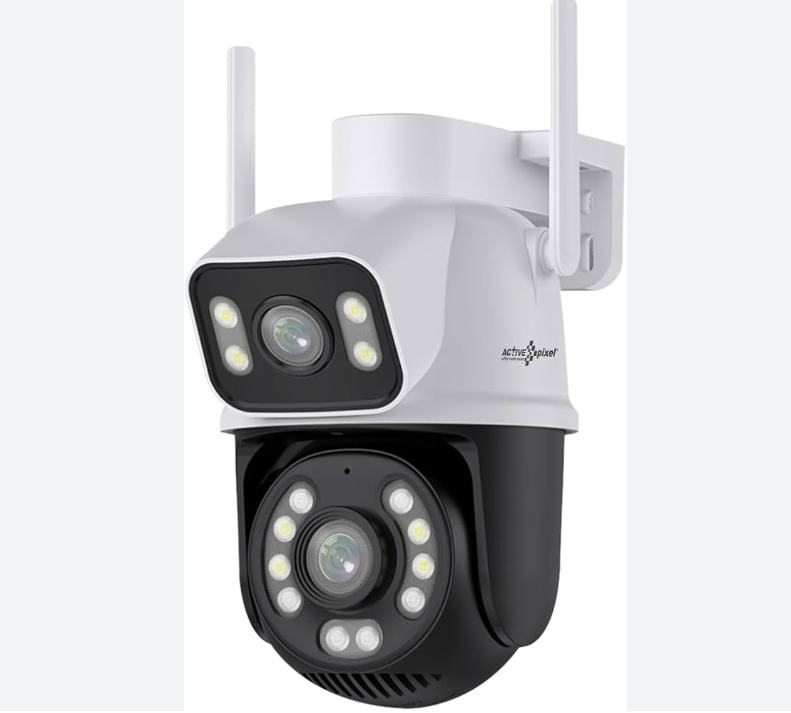
I recently picked up an inexpensive dual-lens Yoosee camera. It works well, but there’s a catch: it doesn’t provide separate video streams for each lens. Instead, it merges both lenses into a single frame, which makes viewing difficult even though the camera can technically be added to a Hikvision DVR.
After some research, I found a way to split the combined frame into two separate streams and feed them individually into the DVR. Here’s the approach I used:
You’ll need a Linux machine on your network. In my setup, I have an old Xeon system running Proxmox for various home-lab tasks. Through Proxmox, I installed Go2RTC, which handles the stream splitting.
Source: https://community-scripts.github.io/ProxmoxVE/scripts?id=go2rtc&category=NVR+%26+Cameras
bash -c "$(curl -fsSL https://raw.githubusercontent.com/community-scripts/ProxmoxVE/main/ct/go2rtc.sh)"After installation, open the Go2RTC interface by visiting:
http://IP:1984You need the stream URL for the camera you want to split. You can easily change the camera password through its app. If you’re unsure how to retrieve the ONVIF/RTSP URL, look it up first as it varies by model. For my Yoosee camera, the ONVIF URL looks like this:
onvif://admin:[email protected]:5000Once you’re on the Go2RTC configuration page, paste in the necessary config to split the stream.
rtsp:
  listen: ":8554"
  users:
    admin: pw123

streams:
  cam1:
    - onvif://admin:[email protected]:5000
  camA:
    - ffmpeg:cam2#raw=-vf crop=1920:1080:0:0#video=h264#media=video
  camB:
    - ffmpeg:cam2#raw=-vf crop=1920:1080:0:1080#video=h264#media=video
If everything is set up correctly, Go2RTC will now split and restream your camera feed via port 8554. You can then go to your Hikvision DVR interface, add a custom camera protocol, and point it to the new stream.
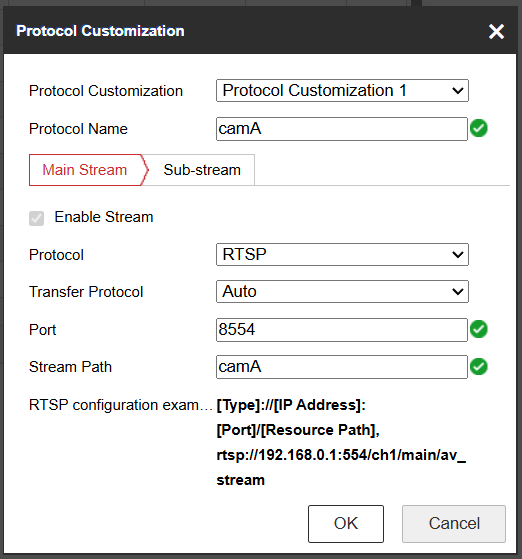
After that, add the camera.
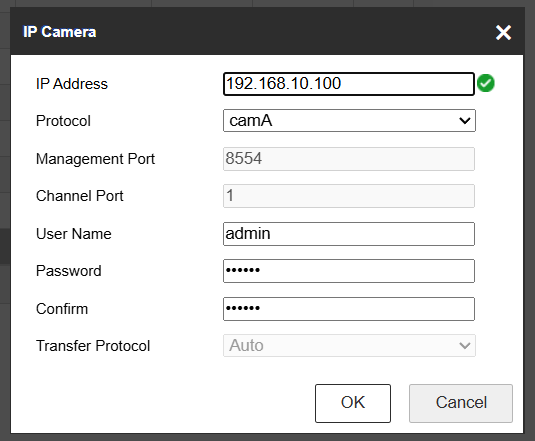
That’s fine — it works very well. However, I noticed that after the camera has been running for a long time, the stream occasionally freezes for no apparent reason. I’m not sure what causes it, but I did find a workaround: simply restart go2RTC every 10 minutes.
To do this, I created a scheduled task on my VM and added a script named restart_go2rtc.sh.
curl 'http://192.168.10.2:1984/api/restart' \
  -X 'POST' \
  -H 'Accept: */*' \
  -H 'Accept-Language: vi-VN,vi;q=0.9,fr-FR;q=0.8,fr;q=0.7,en-US;q=0.6,en;q=0.5' \
  -H 'Connection: keep-alive' \
  -H 'Content-Length: 0' \
  -H 'Origin: http://192.168.10.2:1984' \
  -H 'Referer: http://192.168.10.2:1984/config.html' \
  -H 'User-Agent: Mozilla/5.0 (Windows NT 10.0; Win64; x64) AppleWebKit/537.36 (KHTML, like Gecko) Chrome/143.0.0.0 Safari/537.36' \
--insecurechmod +x restart_go2rtc.shAdd it to crontab -e
*/10 * * * * /root/restart_go2rtc.shChange 192.168.10.2 to your IP. That’s OK now.